
Salesforce contacts may be enhanced with precise contact information through prospecting with AroundDeal, and these contacts can then be synced with other interfaces. To advance your account-based marketing and selling, you may also prospect on any Salesforce account. Consistently update Salesforce and operate with a cleaner database.
Use Cases:
- Resolve data silos inside your CRM
- Complete each entry with truthful information.
- End-to-end prospecting should be used instead of tab switching.
- Make prospecting for ABM easier.
- Determine priority leads to follow-up
Contact enrichment
-
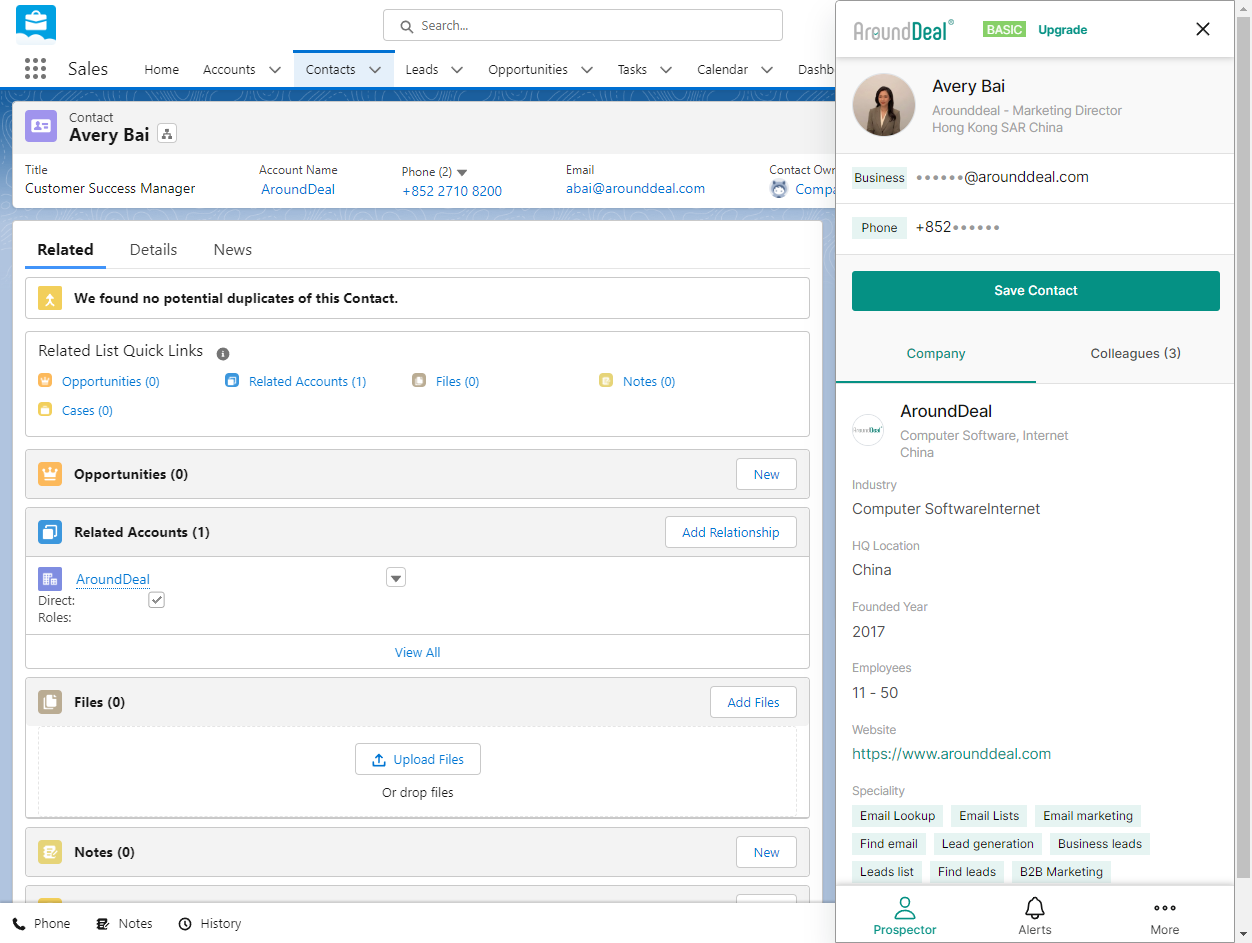
Go to the Contacts tab or Leads tab, then select the "contact" / "lead" or type their name in the Search.
-
Click on the AroundDeal Extension icon.
-
Open the Extension to get instant info on the Account.
-
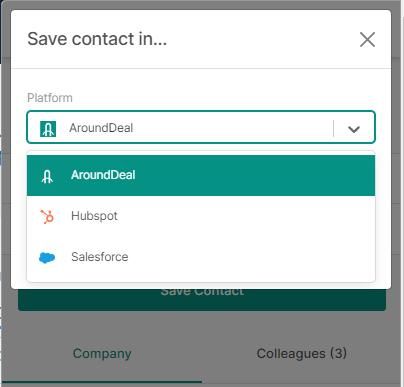
Click Save Contact to sync all that enriched data to:
A platform: Salesforce, HubSpot > click Save.
A list on your AroundDeal dashboard > select list then Save.
Account-based prospecting
-
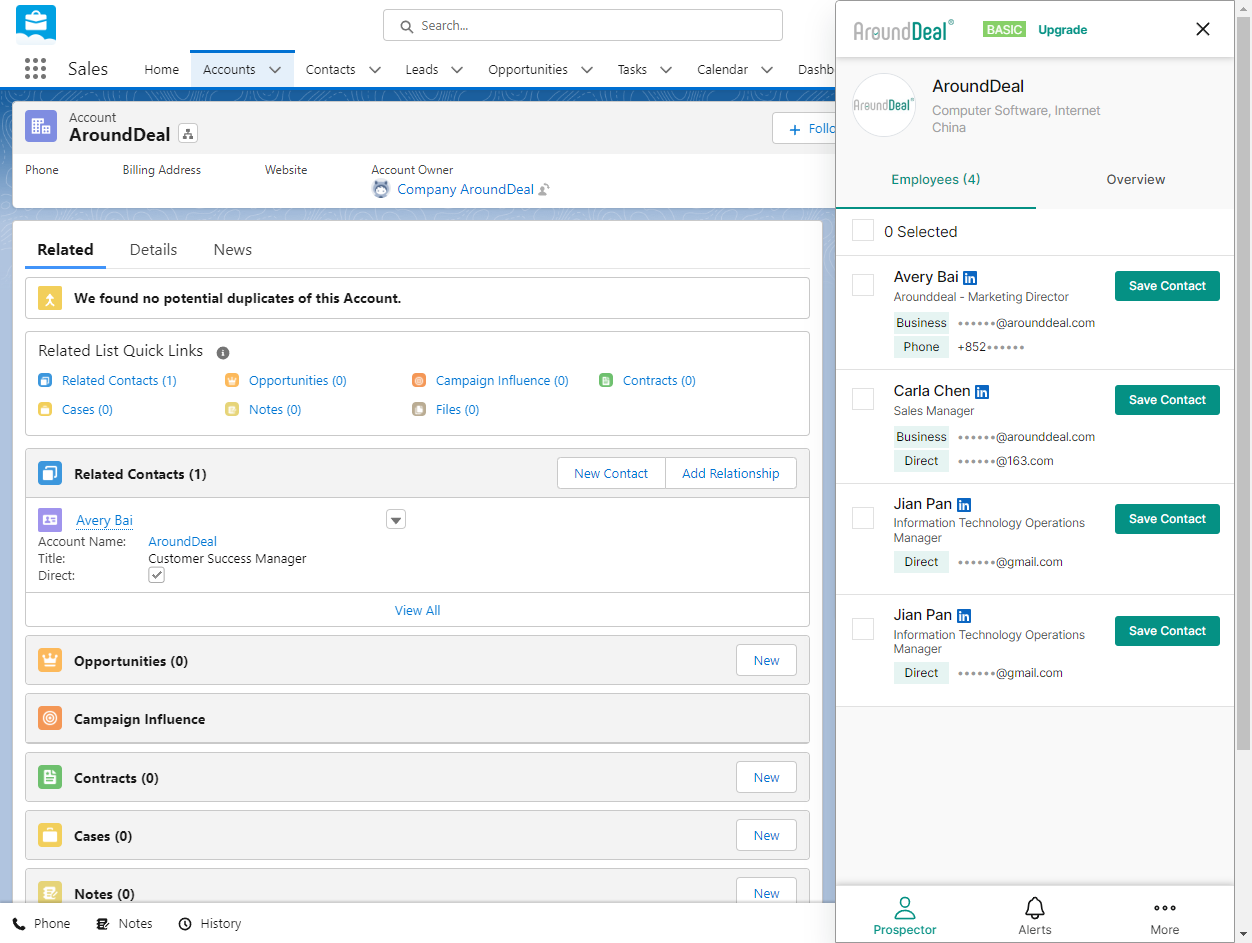
Go to the Accounts tab.
-
Select the "account" or type it into the search.
-
Click on the AroundDeal icon.
-
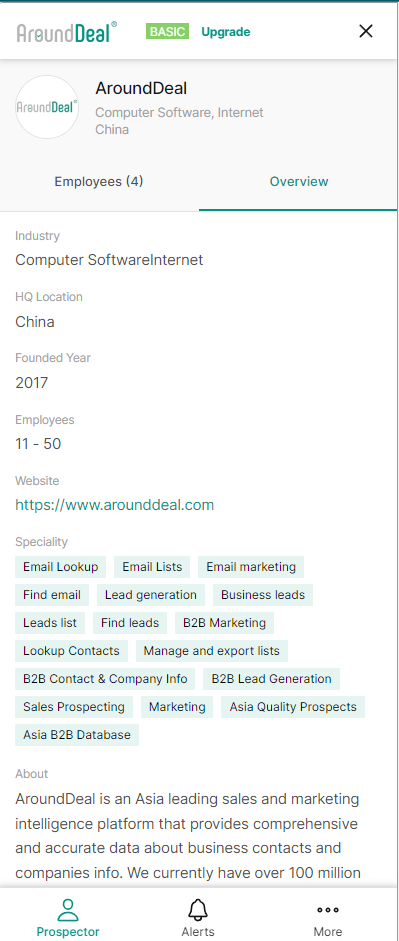
Open the Extension to get instant info on the Account
-
Go to Employees tab to get instant info about the company’s employees.
-
Click "Save Contact" to get any contact’s direct, work phone, and email.
-
Reach out instantly.